Step 1 - Login to BCarm
-
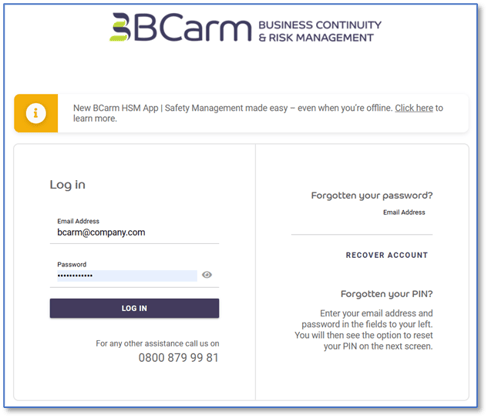
Go to the BCarm login page: https://system.bcarm.co.uk/
(We recommend bookmarking the page so it’s easy to find next time)
-
Enter your email address and password, then click Log In.
-
If you’ve forgotten your password, click ‘Forgotten your Password’ on the login page and follow the steps.
2. Start Your E Learning
-
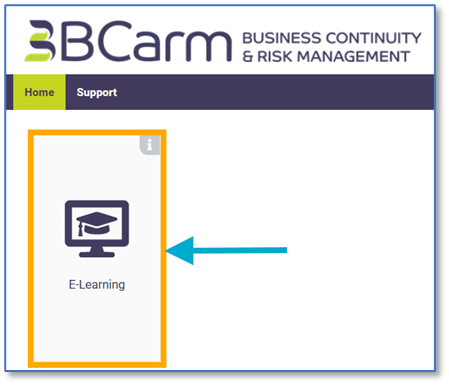
Once you’re logged in, you’ll see the My Services page.
-
Click on E Learning.
A new tab will open showing your E Learning dashboard.
-
Scroll down to see your list of Activities.
-
Click on any activity to begin.
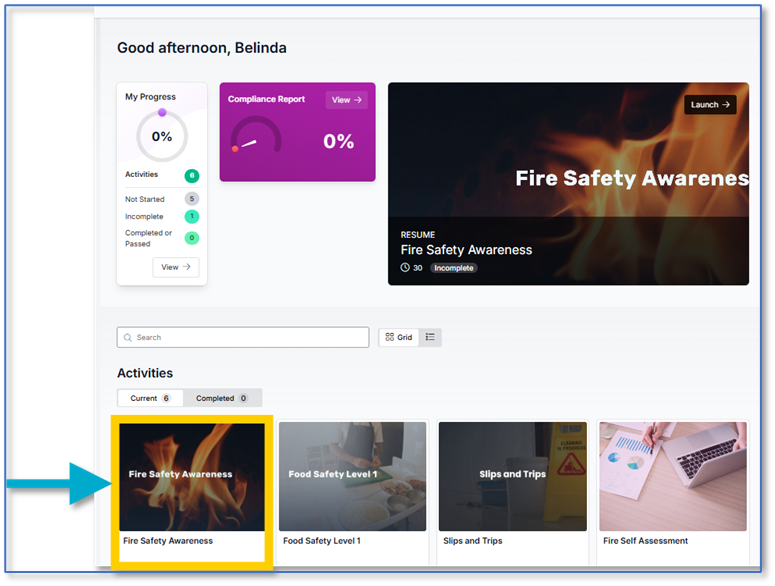
Some courses come with accompanying Self Assessments, which are brief questionnaires. We recommend taking the Course first, and the Self Assessment afterward.
3. Complete Your Training
-
Most courses take around 35 minutes to complete.
-
At the end of a course, you’ll take a short test.
-
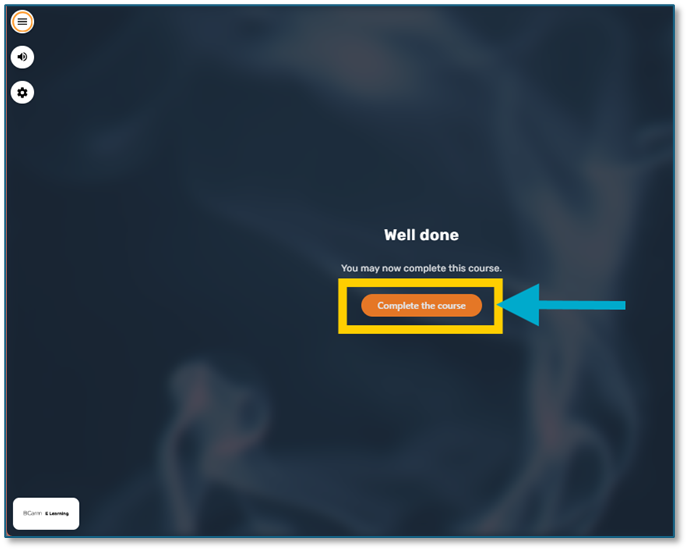
When you pass, make sure you click ‘Complete the course’ and then close the course window. This saves your progress and updates your record.
Need to take a break?
Just close the course window. Your progress will be saved automatically
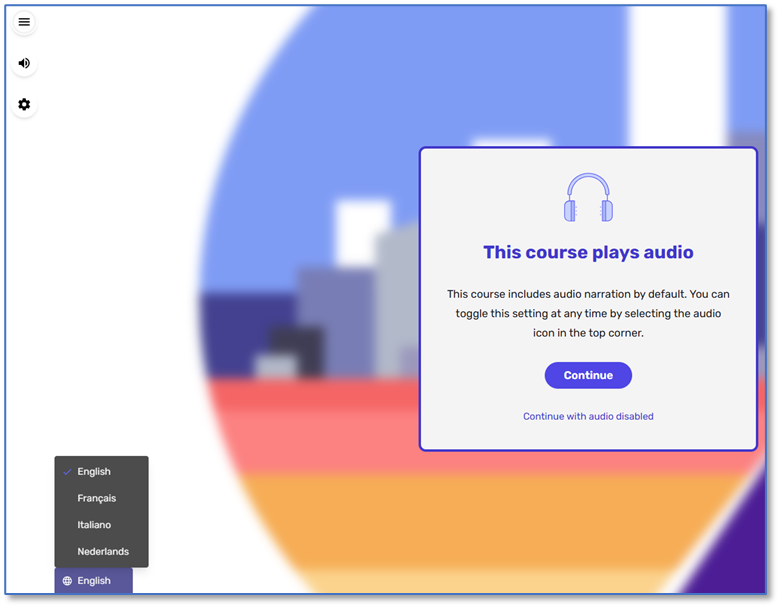
Language Options
Some courses may come with alternative language options.
These can be found in the bottom left-hand corner of the course window.
Select the language you need and the course will update instantly.
We hope you found this guide helpful.
If you need any assistance, you can contact us by email at info@bcarm.co.uk or call us on 0800 118 2208.
We want your training experience to be smooth and stress free, so don’t hesitate to get in touch.